

How to Generate High-Quality Leads with Google Search Ads in 2026 (Step-by-Step)

By Kuldeep Singh Rathore | Google Ads Consultant & Digital Marketing Strategist Last Updated: May 2026 | Reading Time: ~12 minutes
I manage Google Ads campaigns for businesses across India — including real estate agencies, coaching institutes, cab booking companies, and local service brands.
The biggest problems I consistently see are poor keyword targeting, missing conversion tracking, and generic ads that fail to generate quality leads.
This guide walks you through the exact step-by-step Google Search Ads process I use for clients to generate high-intent leads in 2026 — without wasting budget on the wrong traffic.
Google Search Ads Lead Generation is one of the best strategies for businesses that want high-quality leads and better conversions in 2026. With the right campaign structure, keyword targeting, bidding strategy, and conversion tracking, Google Search Ads can generate consistent leads while maximizing ROI and reducing wasted ad spend.
What This Guide Covers
- Full Google Search Ads campaign setup for lead generation in 2026
- Keyword research using Google Keyword Planner (with real CPC data)
- The right bidding strategy when starting a brand-new campaign
- How to use AI tools (ChatGPT, Gemini) to write better ad copy faster
- Setting up a Google lead form extension that captures contacts without a landing page
- The targeting and network settings most people get wrong
- What to do after you publish — because that’s where campaigns actually improve
This is not a surface-level overview. By the end, you’ll have a working campaign structure ready to go live.
Why Google Search Ads for Lead Generation in 2026?
There are more campaign types than ever inside Google Ads — Performance Max, Demand Gen, Display, Shopping, Video, and Search. Each has a place.
But for lead generation, Search is still where I start every client. The reason is simple: intent.
- The person is already searching for what you offer
- You pay only when someone clicks
- You control which search queries trigger your ad
- Lead quality is consistently higher than display or social traffic
If someone types “taxi booking Bhopal” into Google right now, they need a taxi. That’s a warm lead before they’ve even read your headline.
Performance Max has its use — once you have data. Starting there on a new account is like handing someone a sports car before they’ve learned to drive. Start with Search, learn what works, then expand.
f you’re comparing platforms, also read Google Ads vs Meta Ads in 2026 to understand which platform gives better ROI for lead generation.
A Quick Note on What’s Changed in 2026
Google Ads has updated its interface significantly over the last two years. A few things to know before you start:
- “Extensions” are now called “Assets” in the Google Ads UI — sitelinks, callouts, lead forms are all under Assets
- Broad match has become more aggressive — Google pushes it heavily, but for new campaigns without conversion data, it’s still a budget risk
- AI-generated ad suggestions now appear inside the campaign builder — you can use them, but always edit them to include your actual keywords and specific offer
- Lead form assets (what used to be called lead form extensions) are now more prominent and easier to set up
- Smart bidding requires data — Maximise Conversions and Target CPA work well after 30-50 conversions, but not before
Step 1 Campaign Setup: Objective, Type, and Website Link
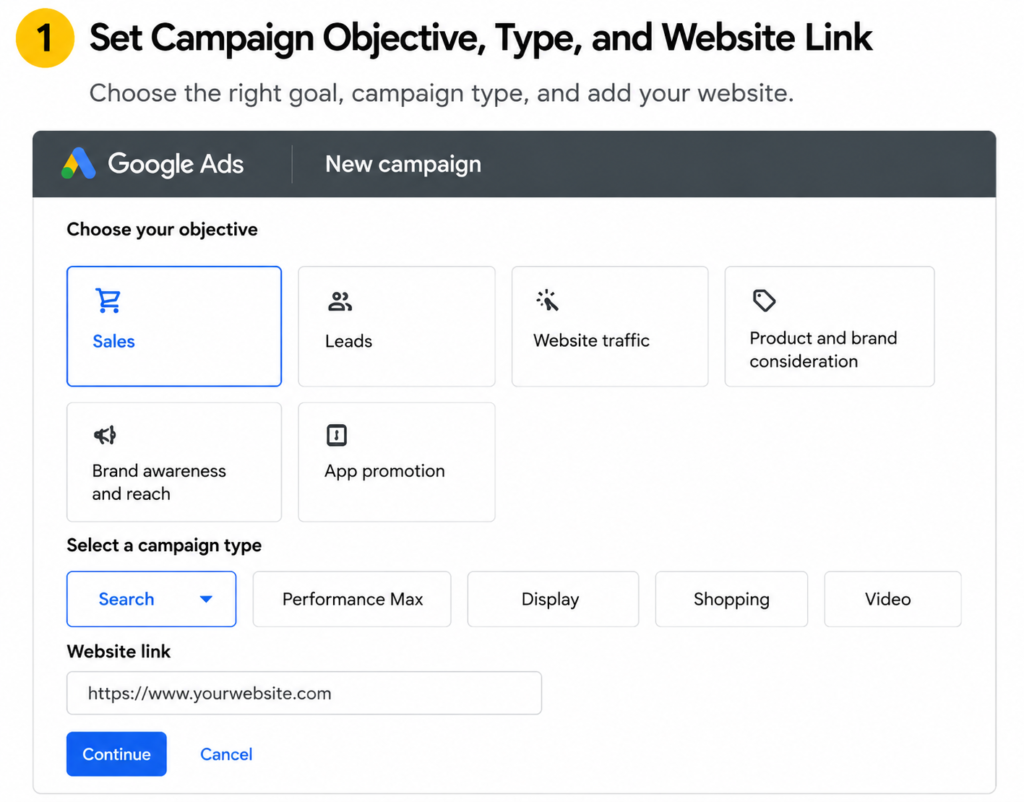
Open Google Ads, click New Campaign, and:
- Objective: Select Leads
- Campaign type: Search
- Website URL: Your landing page (not just the homepage — give it the actual service page if you have one)
Google uses the URL to suggest keywords and ad copy. The more specific the page, the better its suggestions. This saves time during setup.
I also shared a detailed guide on the best Google Ads account structure for 2026 to help improve campaign performance and scaling.
Step 2 Conversion Tracking (Do This Before Anything Else)
I’ll be direct: if you launch a campaign without conversion tracking, you’re flying blind. You won’t know which keywords brought leads, which ads worked, or whether your budget is doing anything useful.
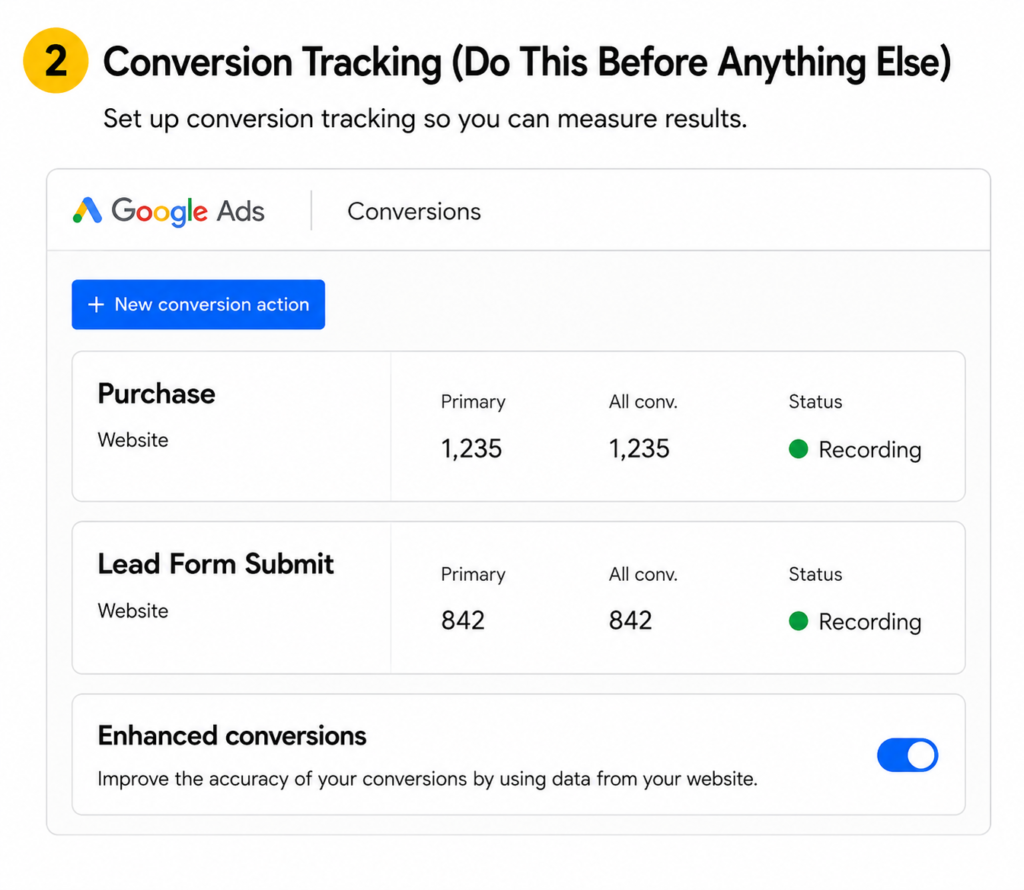
The standard lead generation tracking setup:
- Customer arrives on your landing page
- Fills out a contact form
- Gets redirected to a Thank You page (e.g., yoursite.com/thank-you)
- Google tracks that Thank You page visit as a conversion
To set this up, you need the Google Ads tag installed on your site and a conversion action created for the Thank You page URL. I’ve covered this step-by-step in a separate video on my YouTube channel — set it up before your campaign goes live, not after.
Why this matters more in 2026: Google’s smart bidding strategies — Target CPA, Maximise Conversions — depend entirely on conversion data. The more accurately you track, the smarter Google’s algorithm gets about who to show your ads to.
Step 3 Choosing the Right Bidding Strategy
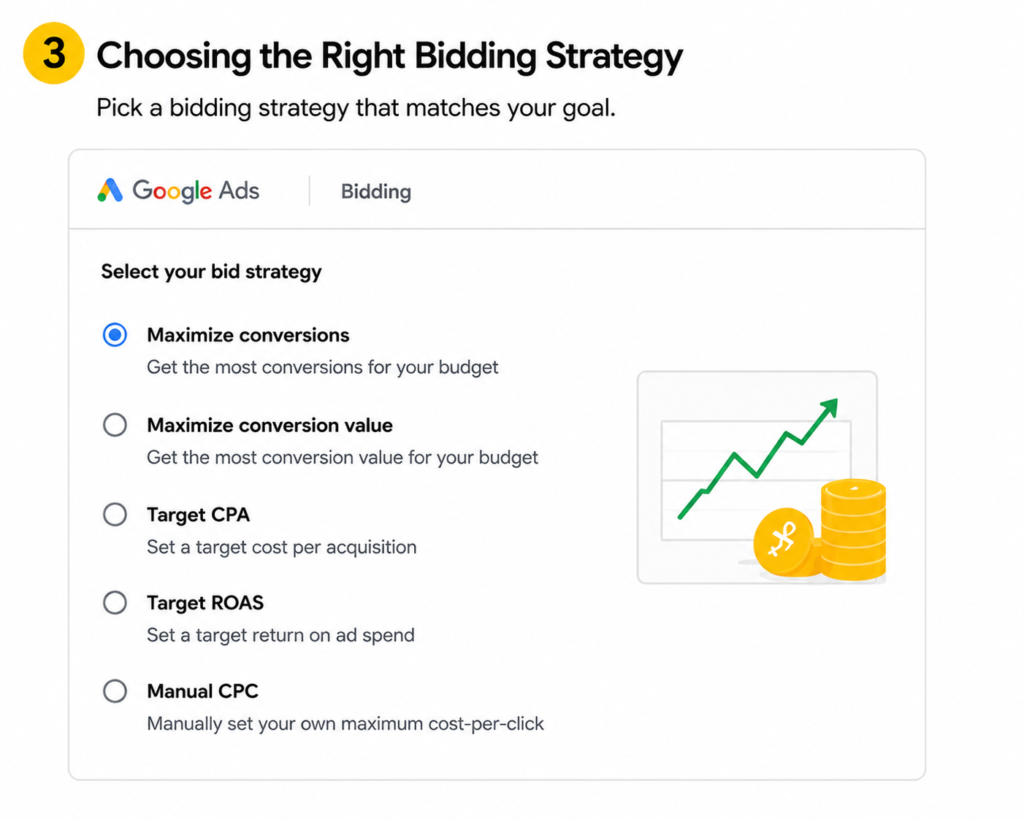
Most beginners make one of two mistakes here: they either leave it on the default (which may not suit a new account), or they jump straight to Target CPA before they have any data.
For a new campaign or new account:
- Start with Clicks as your bidding strategy
- Set a Maximum CPC to cap what you’re willing to pay per click
To find a sensible Max CPC:
- Open Google Keyword Planner (Google Ads → Tools → Keyword Planner)
- Search your main keyword
- Look at the Top of Page Bid — Low Range and Top of Page Bid — High Range
- Set your Max CPC somewhere in the middle
Real example: if the low range is ₹17 and the high range is ₹40, start around ₹25. You’re not locked in — you can adjust weekly based on performance.
When to upgrade your bidding strategy:
Once you have 30-50 conversions tracked, switch to Maximise Conversions or Target CPA. Before that, smart bidding doesn’t have enough data to make good decisions, and it will waste money trying.
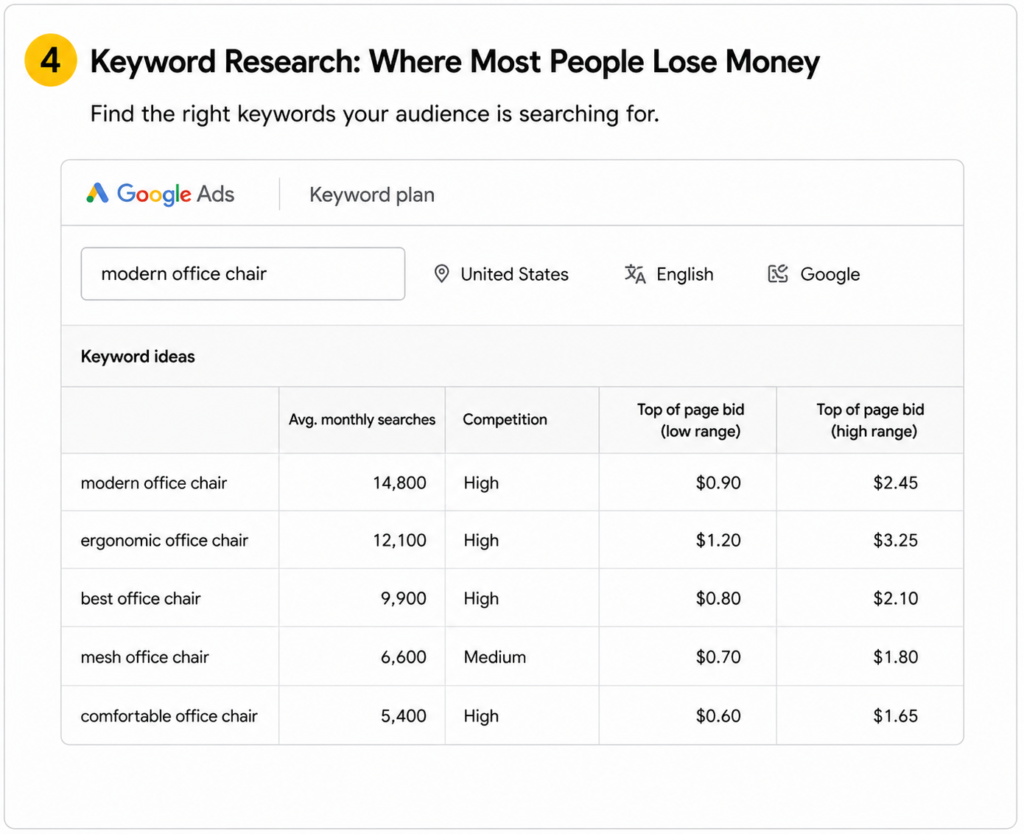
Step 4 Keyword Research: Where Most People Lose Money
Bad keywords kill campaigns. You can have the best ad copy in the world, but if it’s showing up for searches that have nothing to do with your service, you’re paying for irrelevant clicks.
My keyword research process:
- Open Google Keyword Planner → Discover New Keywords
- Enter 2-3 seed terms (e.g., “cab booking”, “taxi service”, “airport transfer”)
- Look at each result for:
- Average monthly searches — is there demand?
- Competition — Low/Medium/High (medium is usually the sweet spot)
- Top of page bid range — sets your CPC expectations
- Export or note down the keywords that are relevant to your specific service
What separates a good keyword from a bad one:
Good keywords show buying intent. “Book cab online” has intent. “Cab photo” does not. “Taxi fare from Delhi to Agra” might, depending on your service. Read each keyword like a potential customer typed it — would they actually want what you’re selling?
How many keywords per ad group?
Keep it at 10-15 per ad group. Tighter groups mean more relevant ads, which means better Quality Scores, which means lower CPCs. It’s one of those things that compounds over time.
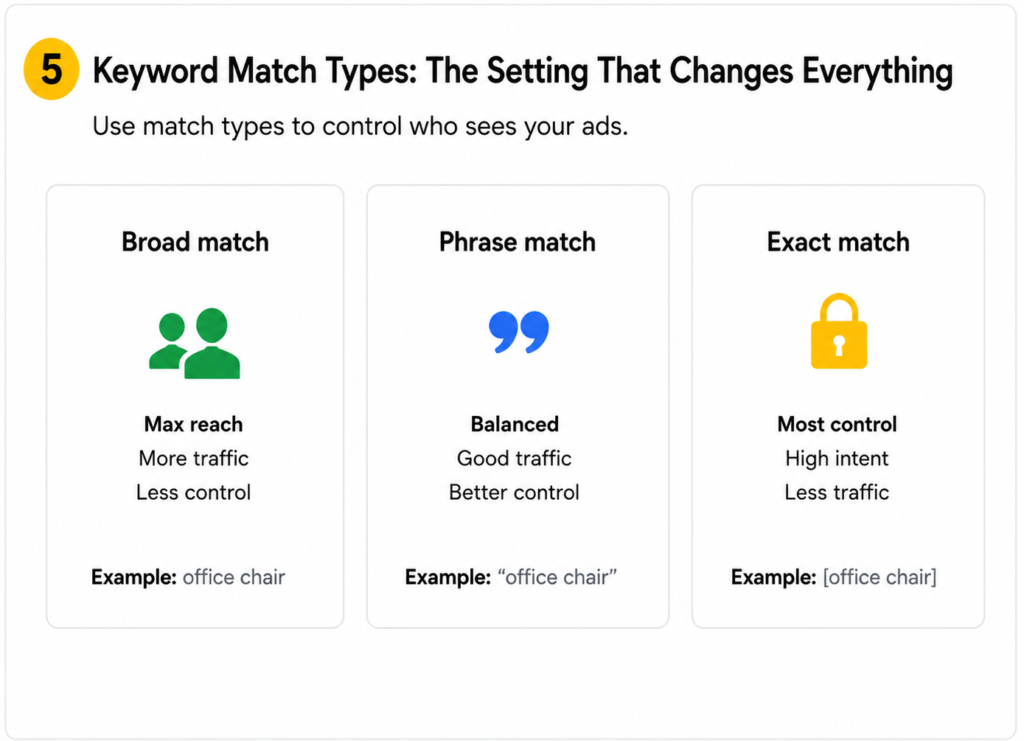
Step 5 Keyword Match Types: The Setting That Changes Everything
This one setting determines whether your budget goes toward relevant searches or irrelevant ones.
There are three match types:
- Broad Match — widest reach, least control. Google decides what’s “related.” For new campaigns without data, this usually means wasted spend.
- Phrase Match — your keyword must appear in the search, in order, with other words around it. E.g., “cab booking” would trigger “cab booking in Jaipur” or “cheap cab booking service.”
- Exact Match — ad only shows for that exact search (or very close variants). Highest control, lowest volume.
My approach for new campaigns: Start with Phrase Match for most keywords. Add Exact Match for your 3-4 highest-intent terms.
Formatting keywords for Phrase Match quickly:
- Copy your keyword list from Keyword Planner
- Search for a free Keyword Match Type Tool online
- Paste your keywords, select Phrase Match, generate the formatted list
- Copy and paste directly into your ad group
Takes 2 minutes and saves you from manually adding quotes around 15 keywords.
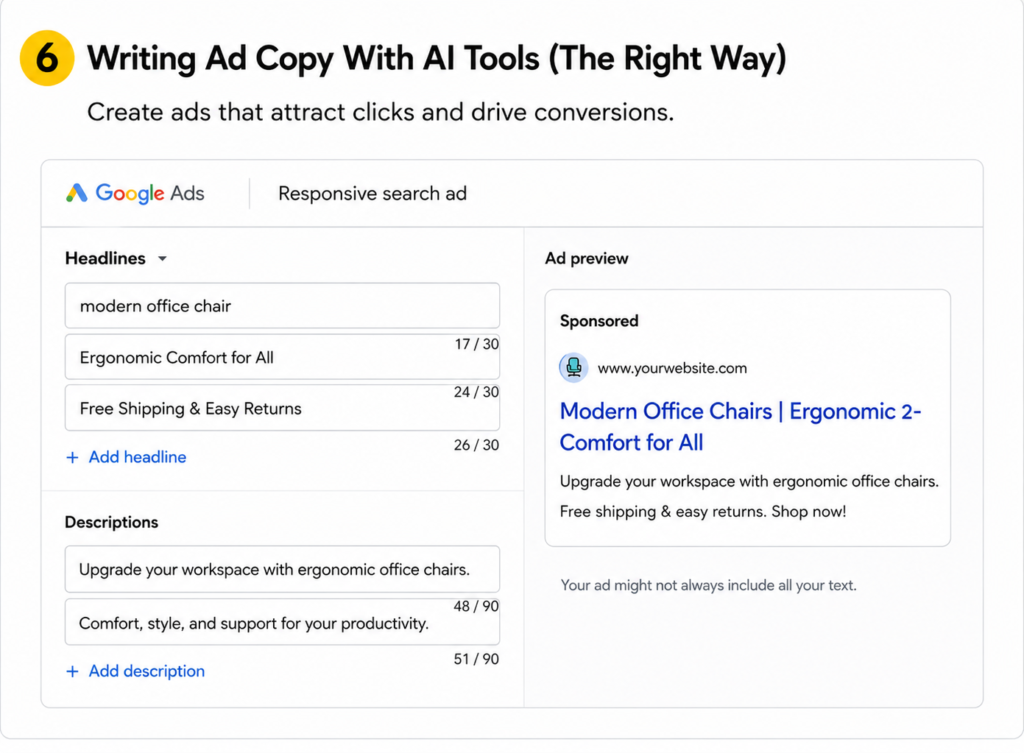
Step 6 Writing Ad Copy With AI Tools (The Right Way)
This is where I see the most wasted potential. People either write generic copy that says nothing specific, or they paste ChatGPT output directly without editing it.
Neither works well.
My process — using AI as a starting point, not a final product:
Open ChatGPT or Gemini and prompt it like this:
“Write 10 Google Search Ad headlines for a cab booking service in Jaipur. Headlines must be under 30 characters each. Include action words. Mention benefits like 24/7 availability, instant booking, and reliability. Also write 5 descriptions under 90 characters each.”
You’ll get a solid batch fast. Then do two things before using them:
- Insert your target keyword into at least one headline — Google’s ad strength system rewards keyword relevance
- Make one headline location-specific — “Cab Booking in Jaipur” beats “Cab Booking Service” for local intent
Google Ad copy structure (2026 UI):
- Headlines: Up to 15 available slots, minimum 3 required — 30 characters each
- Descriptions: Up to 4 available, minimum 2 required — 90 characters each
- Display URL paths: Two optional path fields after your domain
Ad Strength indicator:
Google shows this as you build: Poor → Average → Good → Excellent. Aim for at least Good before publishing. To get there:
- Include keywords in headlines
- Avoid repeating the same phrase across headlines
- Fill all available headline and description slots
- Add a specific call to action (“Book Now”, “Call for Quote”, “Get Instant Booking”)
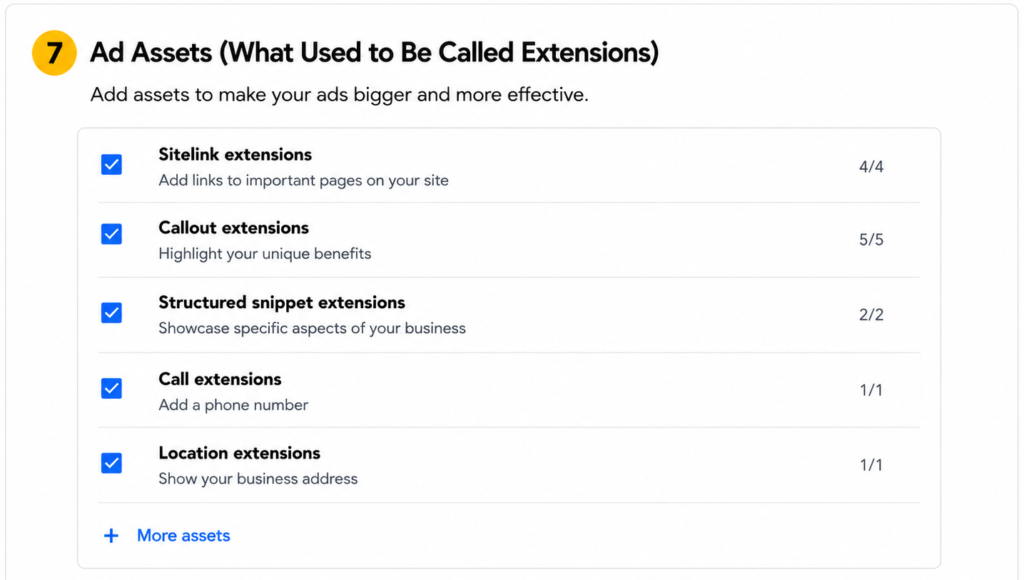
Step 7 Ad Assets (What Used to Be Called Extensions)
Assets are free add-ons that make your ad bigger and give people more ways to engage. More ad real estate = more clicks.
Sitelink Assets
- Add 4+ links below your ad (e.g., About Us, Contact Us, Our Services, FAQ)
- Each sitelink gets a headline and 2 description lines
- Link to actual pages on your site — don’t use the homepage for all of them
Callout Assets
- Short phrases (no links) that highlight your USPs
- Good examples: “Available 24/7”, “Instant Booking Confirmation”, “Top-Rated Drivers”, “Free Cancellation”
- Add at least 4
Call Asset
- Your phone number appears directly in the ad
- On mobile, users can call with one tap — this is huge for service businesses
- Setup: select India (+91), enter your number, save
Lead Form Asset — covered in full in the next step
Step 8 Setting Up the Lead Form Asset
This is the feature most tutorials skip, and it’s one of the most powerful tools for lead generation in Google Ads.
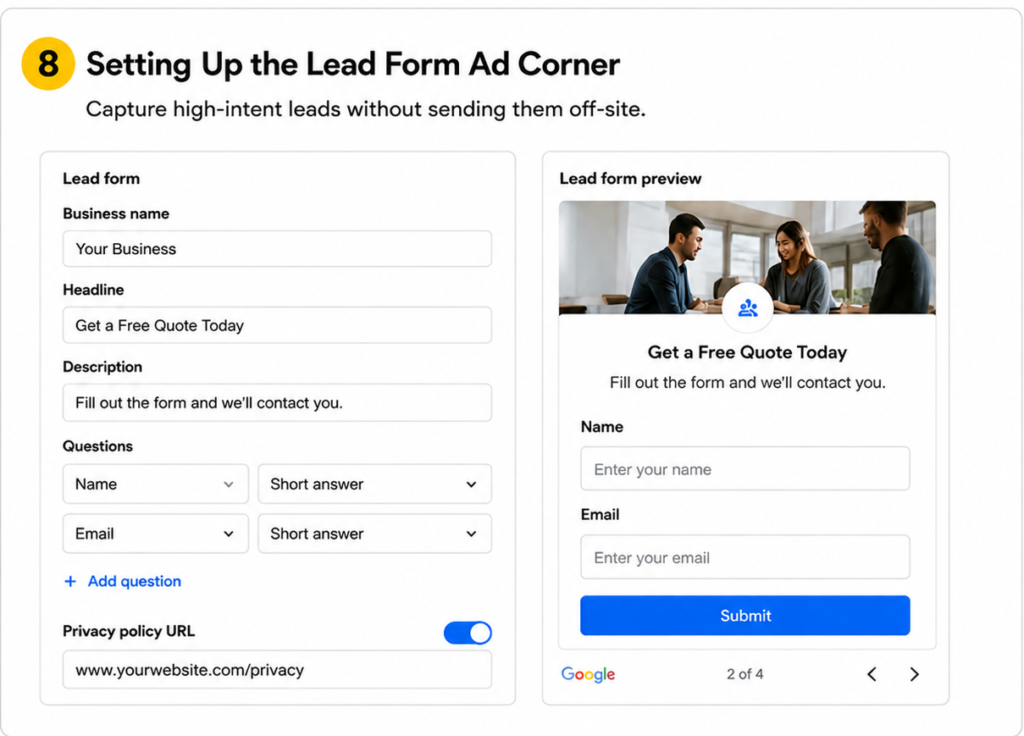
A lead form asset lets people submit their contact details directly from the Google search results page — no website visit required. Lower friction = more submissions.
Setup walkthrough:
- In your campaign, go to Assets → Lead Form
- Accept the terms and conditions (actually read them)
- Fill in:
- Headline — your main offer (e.g., “Book a Cab in Jaipur”)
- Business name — shows on the form
- Description — one or two lines about what they’re getting
- Choose which contact fields to collect:
- Name ✓
- Phone number ✓
- City ✓ (if you serve multiple locations)
- Keep it to 3 fields maximum — every extra field loses you submissions
- Add your Privacy Policy URL — this is required by Google. Link to the actual privacy policy page on your site, not the homepage
- Upload a background image if available
- Write your Thank You message — tell them what happens next: “We’ll call you within 2 hours”
- Set the CTA button — options include Request a Demo, Get Quote, Sign Up, Book Now, Contact Us
Where do the leads go?
- Download them manually from Google Ads (Assets → Lead Form → Download)
- Or connect via webhook to a CRM like Zoho, HubSpot, or a Google Sheet via Zapier/Make
Set up the webhook from day one. Manually downloading leads is fine for testing, but you’ll miss response-time windows if you do it manually at scale.
Step 9 Location and Network Targeting
Two settings that get ignored and cost a lot of money when they’re wrong.
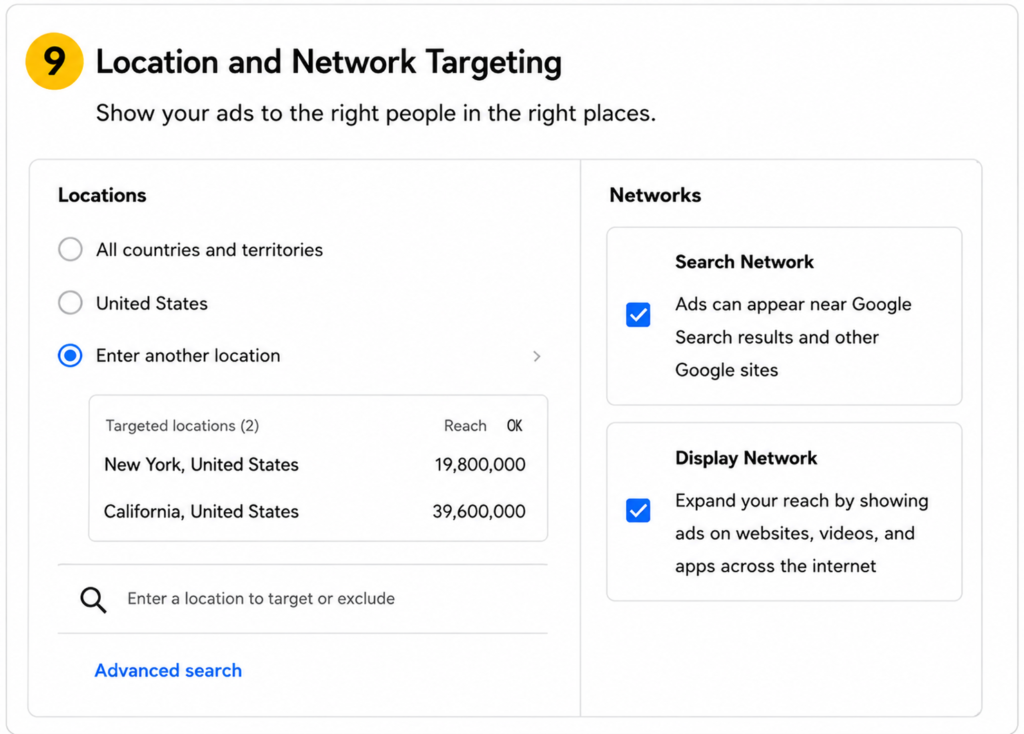
- Select only the cities or regions you actually serve
- Under Location options, you’ll see two choices:
- “Presence: People in your targeted locations” — shows ads only to people physically in that area
- “Presence or interest: People in, or who show interest in, your targeted locations” — also shows to people outside your area who are searching for services there
For most local service businesses, “Presence or interest” is the right choice. Someone in Mumbai searching “taxi booking Bhopal” wants a Bhopal cab. You want that lead.
Network settings:
When you create a Search campaign, Google defaults to including:
- Search Partners (other search engines and partner sites)
- Display Network (banner ads on websites)
For a new Search campaign focused on lead generation, turn both off. You’re not ready to optimise for additional networks until you know your core Search campaign is profitable. You can always add them later.
Language targeting:
In India, add both English and Hindi even if your ads are in English. Many Android users have their device language set to Hindi — if you don’t include Hindi, your ad may not be eligible to show to them.
Step 10 Setting Your Daily Budget and Going Live
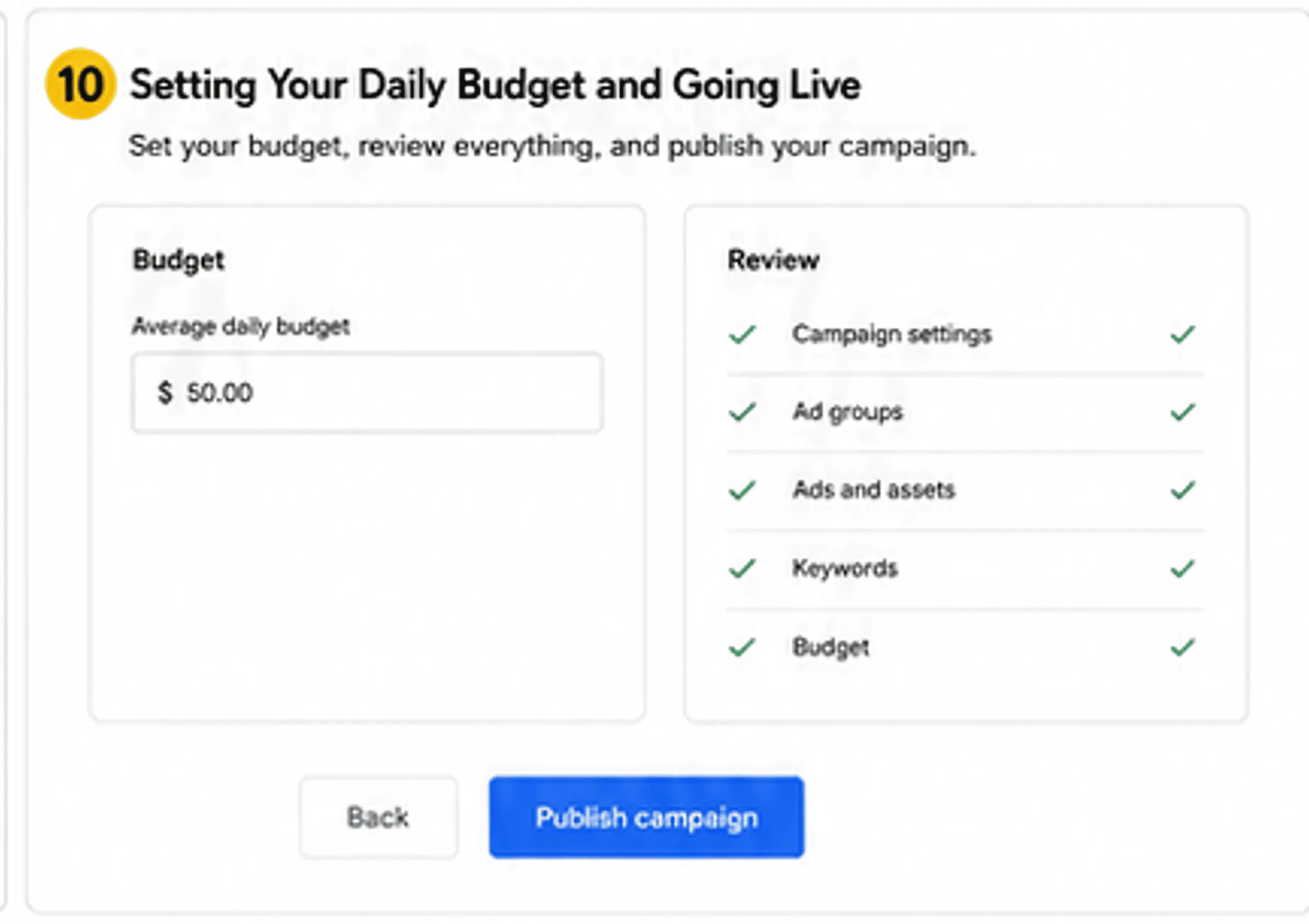
Set a daily budget you’re comfortable losing while the campaign learns. Realistic ranges for India:
- ₹500-₹700/day — minimum viable for most service categories in Tier 2 cities
- ₹1000-₹2000/day — better for competitive categories or metro cities
- Below ₹300/day — you won’t gather enough click data to make decisions
Before you hit Publish:
- Google will run an error check on your campaign — fix anything flagged
- Review your keywords, ad copy, location, and budget one more time
- Click Publish
After publishing, your campaign enters a learning phase (typically 7-14 days). Don’t make significant changes during this window. Changing bids, pausing keywords, or editing ad copy resets the learning phase. Let it run.
After Publishing The Ongoing Work
Publishing is where beginners stop. It’s where the real work starts.
Week 1-2: Watch, don’t touch
- Monitor impressions and clicks
- Check that conversions are tracking correctly
- Don’t panic if cost-per-lead is high in week one — the algorithm is still learning
Week 2-3: Search Terms Report
- Go to Keywords → Search Terms
- Find searches that triggered your ad but are irrelevant to your service
- Add them as negative keywords
- This is the single highest-ROI optimisation task in Google Ads
Week 3 onwards: Adjust and expand
- Pause keywords with high spend and zero conversions
- Increase bids on keywords that are converting at a good cost
- Add ad variations and test different headlines
- Once you hit 30-50 conversions, consider switching bidding to Maximise Conversions
Demographics: Go to Audience → Demographics → Edit. If your service doesn’t serve people above a certain age, exclude them. If your service skews toward a specific age group, you can bid higher for that segment.
What to Add Beyond This Guide
Here’s an honest breakdown of what this guide covers and what you should build toward:
| Covered here | Add next |
|---|---|
| Search campaign setup | A/B testing 2-3 ad variations simultaneously |
| Keyword research with Planner | Negative keyword list built before launch |
| Phrase match keywords | Exact match for top 3-4 high-intent terms |
| Lead form asset setup | CRM integration via webhook (Zoho, HubSpot, Google Sheets) |
| Manual CPC bidding | Switch to Target CPA after 30-50 conversions |
| Sitelinks, callouts, call asset | Structured snippets for service types |
| Demographic exclusions | Dayparting — ads only during hours you can respond |
| Single ad group setup | SKAG or tightly themed ad groups per service |
The campaign structure in this guide is a starting point. The goal is to get data, then use that data to make smarter decisions over time.
Frequently Asked Questions Google Ads Lead Generation 2026
How much should I spend on Google Ads to generate leads in India? Start with ₹500–₹1000/day for Tier 2 cities — anything less and the algorithm won’t have enough data to learn from.
Is a landing page necessary if I use a lead form asset? Not mandatory, but for high-consideration services like real estate or healthcare, a landing page builds the trust a form alone can’t.
What’s the difference between broad match and phrase match keywords? Broad match lets Google decide what’s “related” — which is often too loose for a new campaign; phrase match keeps you in control without killing your reach.
How long does it take to see leads from Google Search Ads? Most campaigns with a sensible budget start showing leads within 3–7 days, and improve noticeably by weeks 3–4 as Google learns your audience.
Should I use Performance Max instead of Search for leads? Only after your Search campaign has 50–100 conversions tracked — Performance Max needs data to work well, and without it, it guesses badly.
What is ad strength in Google Ads and does it matter? It’s Google’s rating of how well your ad is built — aim for Good or Excellent by using your keywords in headlines and keeping each headline unique.
Can I run Google Ads in Hindi for Indian audiences? Absolutely, and for many service categories in India it outperforms English — test both languages in separate ad groups and let the data decide.
Conclusion
If you’ve read this far, you now have everything you need to launch a Google Search Ads campaign that actually generates leads — not just clicks.
The process is straightforward when you follow it in order: set up conversion tracking first, pick the right keywords in phrase match, write copy that includes your target keyword, add your lead form asset, and then leave the campaign alone long enough to learn. That last part is where most people slip up. They publish and then start tweaking after 3 days because the numbers look scary. Don’t. The learning phase is doing its job.
Here’s the honest reality: the first two weeks of a campaign are always the most expensive per lead. That’s normal. Costs drop as Google figures out who your actual customers are. What matters is that your tracking is clean, your keywords are relevant, and your budget isn’t set so low that the algorithm starves.
Once you have 30–50 conversions in the account, the real fun starts — smart bidding, A/B testing ad copy, tightening your negative keyword list, layering in audience signals. But none of that works without the foundation this guide covers.
